Is the iPhone 12 Really Waterproof?
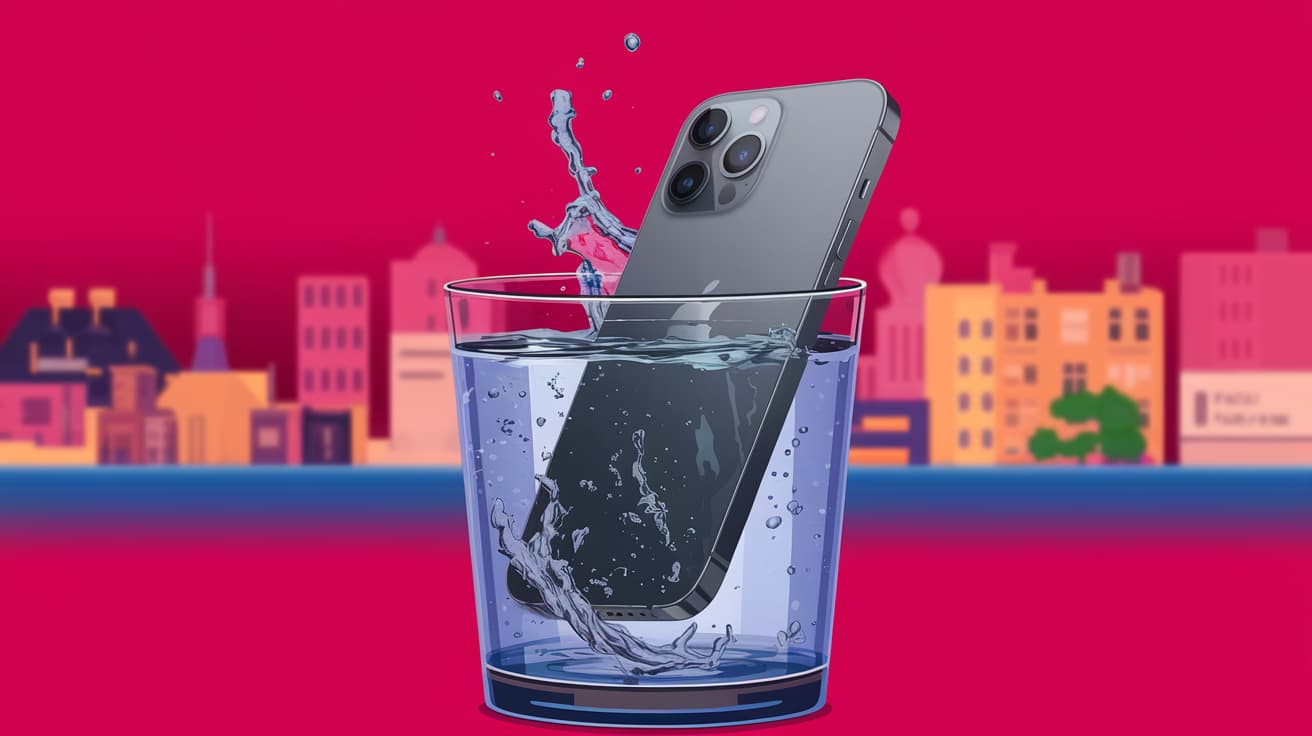
The iPhone 12 is one of Apple’s most popular models, but many people wonder: is it waterproof? If you’re planning to take your phone to the pool, beach, or even out in the rain, it’s important to know how much water exposure it can handle. While the iPhone 12 is not entirely waterproof, it does offer a high level of water resistance. This means it can survive splashes, spills, and even short underwater exposure under certain conditions.
In this guide, we’ll explore what water resistance really means for the iPhone 12, how it performs in wet situations, and what precautions you should take to keep your phone safe. By the end, you’ll know exactly how much water your iPhone 12 can handle and how to avoid costly mistakes.
Understanding Water Resistance on the iPhone 12
The iPhone 12 is rated IP68 under the IEC standard 60529. Let’s break that down:
IP stands for Ingress Protection. It measures how well a device is protected against dust and water.
6 is the highest rating for dust protection, meaning the iPhone 12 is completely dust-tight.
8 indicates water resistance. According to Apple, the iPhone 12 can be submerged in up to 6 meters (around 19.7 feet) of water for up to 30 minutes without damage.
This makes the iPhone 12 highly water-resistant, but it’s not waterproof. Prolonged or repeated exposure to water, especially saltwater or chlorinated water, can still damage the device over time.
Real-World Scenarios: How Much Water Can the iPhone 12 Handle?
Here’s how the iPhone 12’s water resistance holds up in everyday situations:
Accidental Spills
The iPhone 12 can easily handle spills from drinks like water, coffee, or soda. If this happens, quickly wipe it down with a clean cloth. Avoid using harsh cleaning agents, as they can damage the protective coating on the phone.
Rain and Splashes
Rain is no problem for the iPhone 12. You can safely use it in light to moderate rain or if you accidentally splash water on it while washing your hands.
Swimming Pools
While the IP68 rating technically allows the iPhone 12 to be submerged, swimming pools introduce additional risks. Chlorine can corrode the phone’s seals over time, reducing its water resistance. It’s best to avoid using your phone in pools.
Beaches
Saltwater is even more harmful than chlorinated water. The tiny salt particles can damage internal components, even if the phone doesn’t seem affected immediately. If your iPhone 12 comes into contact with saltwater, rinse it gently with fresh water and dry it completely.
What to Do If Your iPhone 12 Gets Wet
If your iPhone 12 gets wet, follow these steps to protect it:
Turn It Off: Power down your phone immediately to prevent any potential short circuits.
Dry the Surface: Use a soft, lint-free cloth to gently wipe the phone’s exterior. Pay extra attention to ports and buttons.
Remove Moisture from Ports: Avoid inserting anything into the Lightning port. Instead, hold the phone upright and let gravity do its work.
Wait Before Charging: Don’t plug your phone into a charger until it’s completely dry. Charging a wet device can cause internal damage.
Monitor Performance: If your phone behaves oddly after getting wet, like having muffled audio or unresponsive buttons, contact Apple Support.
Can You Use the iPhone 12 Underwater?
The iPhone 12’s water resistance rating might tempt you to use it for underwater photography or videos, but this isn’t recommended. While it can technically survive underwater for a short time, several factors make this risky:
Pressure: Moving water creates extra pressure, which can exceed the IP68 rating and push water into the phone.
Temperature Changes: Sudden temperature shifts, like jumping into cold water on a hot day, can weaken the phone’s seals.
Long-Term Damage: Even a few underwater sessions can degrade the phone’s water resistance over time.
If you want underwater photos, consider investing in a waterproof case specifically designed for iPhones.
Tips to Protect Your iPhone 12’s Water Resistance
Water resistance isn’t permanent. Over time, normal wear and tear can reduce the iPhone 12’s ability to repel water. Here’s how to maintain its water resistance:
Avoid High-Impact Drops: Dropping your phone can damage the seals that protect it from water.
Don’t Use Compressed Air: Cleaning your phone with compressed air can force moisture into the device.
Keep It Away from Chemicals: Cleaning agents, sunscreen, and lotions can degrade the protective coating.
Test Responsibly: Don’t intentionally test your phone’s water resistance by submerging it.
Is Water Damage Covered Under Warranty?
It’s important to note that water damage is not covered under Apple’s standard warranty or AppleCare+. Even though the iPhone 12 is water-resistant, Apple doesn’t guarantee it will withstand all water-related incidents.
If your phone is damaged by water, Apple can detect it through the Liquid Contact Indicators (LCIs) inside the device. Repairs for water damage can be costly, so it’s better to prevent accidents rather than rely on the warranty.
Summary
The iPhone 12 is highly water-resistant, but it’s not waterproof. With its IP68 rating, it can survive spills, rain, and even short submersion in water. However, prolonged exposure, especially to saltwater or chlorinated water, can still cause damage.
To keep your iPhone 12 safe, avoid taking it underwater, handle spills quickly, and maintain its water resistance by protecting it from drops and chemicals. Remember, water damage isn’t covered under warranty, so prevention is your best defense.
FAQs
Is the iPhone 12 waterproof or water-resistant?
The iPhone 12 is water-resistant, not waterproof. It has an IP68 rating, which allows it to withstand submersion in up to 6 meters of water for 30 minutes under specific conditions.
Can I take my iPhone 12 into the shower?
While the iPhone 12 can handle water splashes, exposing it to hot steam and soap in the shower isn’t recommended. These can weaken its water-resistant seals over time.
What should I do if my iPhone 12 falls into saltwater?
Immediately rinse it with fresh water and dry it completely with a soft cloth. Saltwater can cause corrosion, so act quickly to minimize damage.
Can I charge my iPhone 12 after it gets wet?
No, you should wait until the Lightning port is completely dry before charging. Plugging in a wet phone can cause electrical damage.
Does water resistance wear off over time?
Yes, water resistance can degrade due to wear and tear, drops, or exposure to chemicals. Handle your iPhone 12 carefully to maintain its protective seals.
Also read -